Payment confidence depends on understanding what is due, when it will move, where it will come from, and what the account will show afterward.
Utility billing · Customer payment experience
Make every payment decision feel clear.
A guided account-payment experience that helps customers understand what they owe, choose when and how to pay, and confirm what happened next.
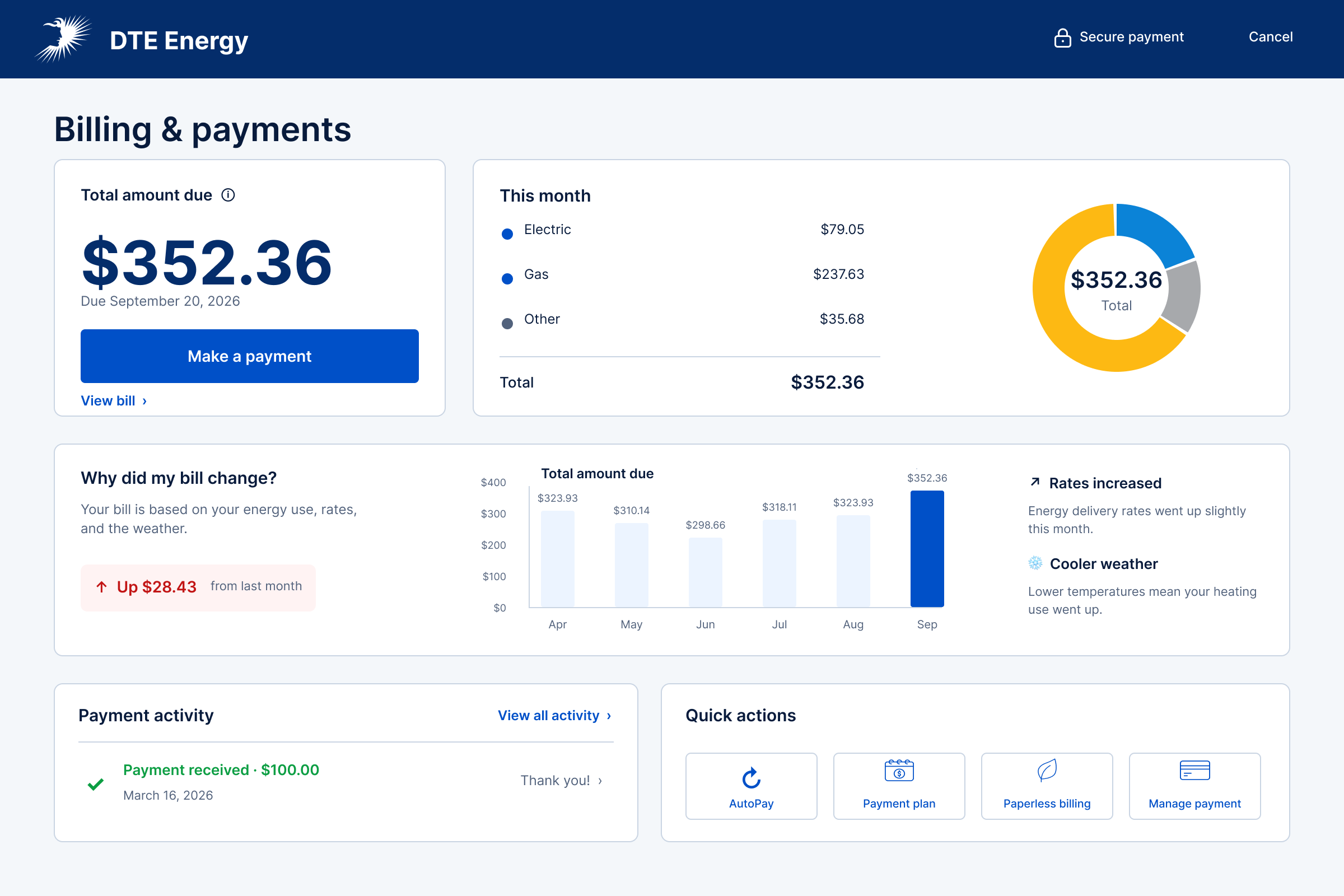
At a glance
Keep the amount, timing, source, and status connected.
Separate each consequential decision into a visible step while preserving the amount and account context throughout the journey.
A guided payment experience that distinguishes review, submission, processing, and posting while supporting both standard and past-due accounts.
01 · The challenge
A payment is never just a button.
Customers need to understand the amount, timing, source, and consequence of a payment before they can act with confidence.
The experience connected account context to a guided payment flow. Instead of asking customers to hold critical details in memory, each step kept the amount visible and made the next decision explicit.
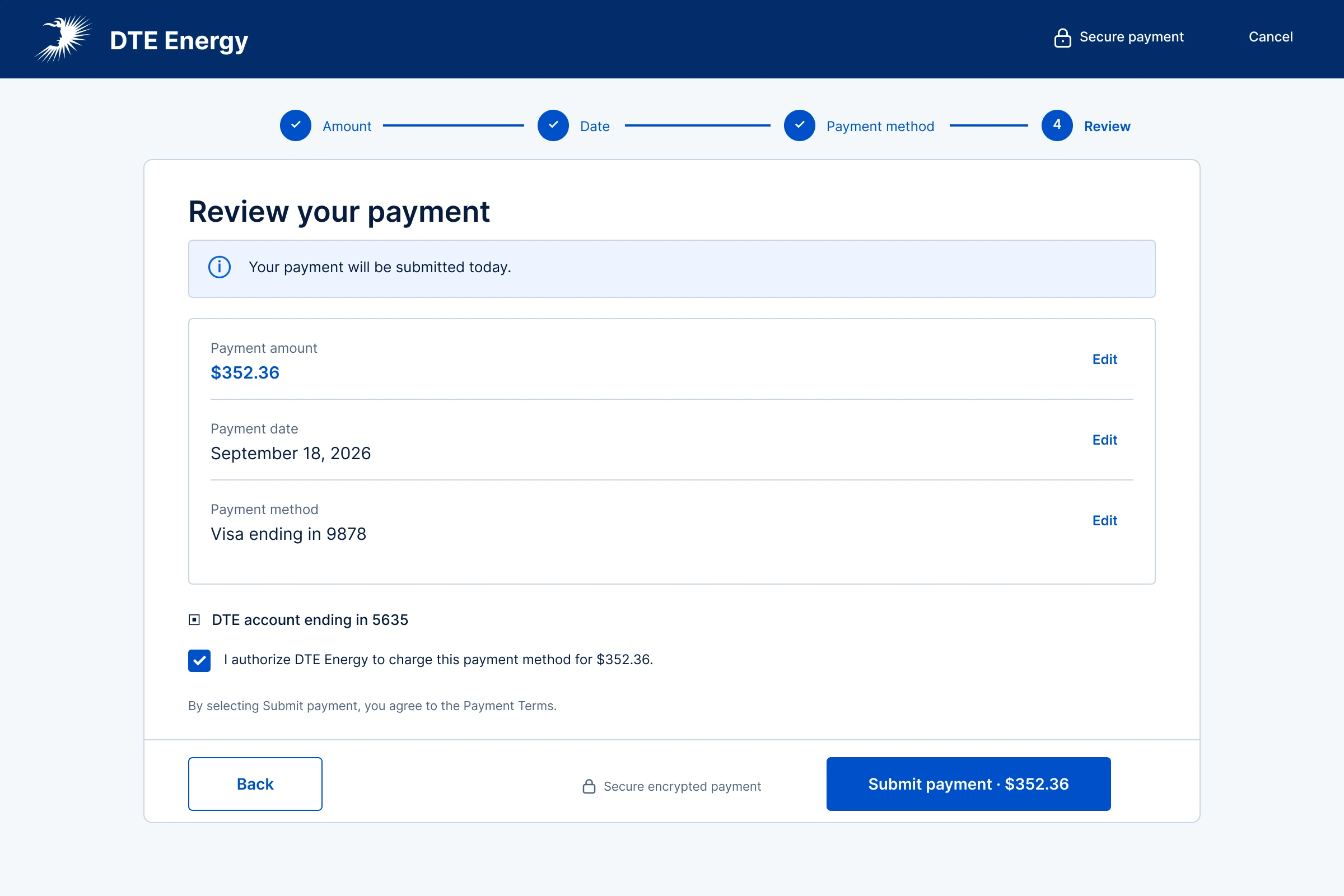
The design organizes the journey around four customer decisions—amount, date, payment method, and review—then keeps submitted and posted status distinct after the customer commits.
Explain the amount
Bring the balance, due date, charge breakdown, and recent activity into one understandable starting point.
Separate each decision
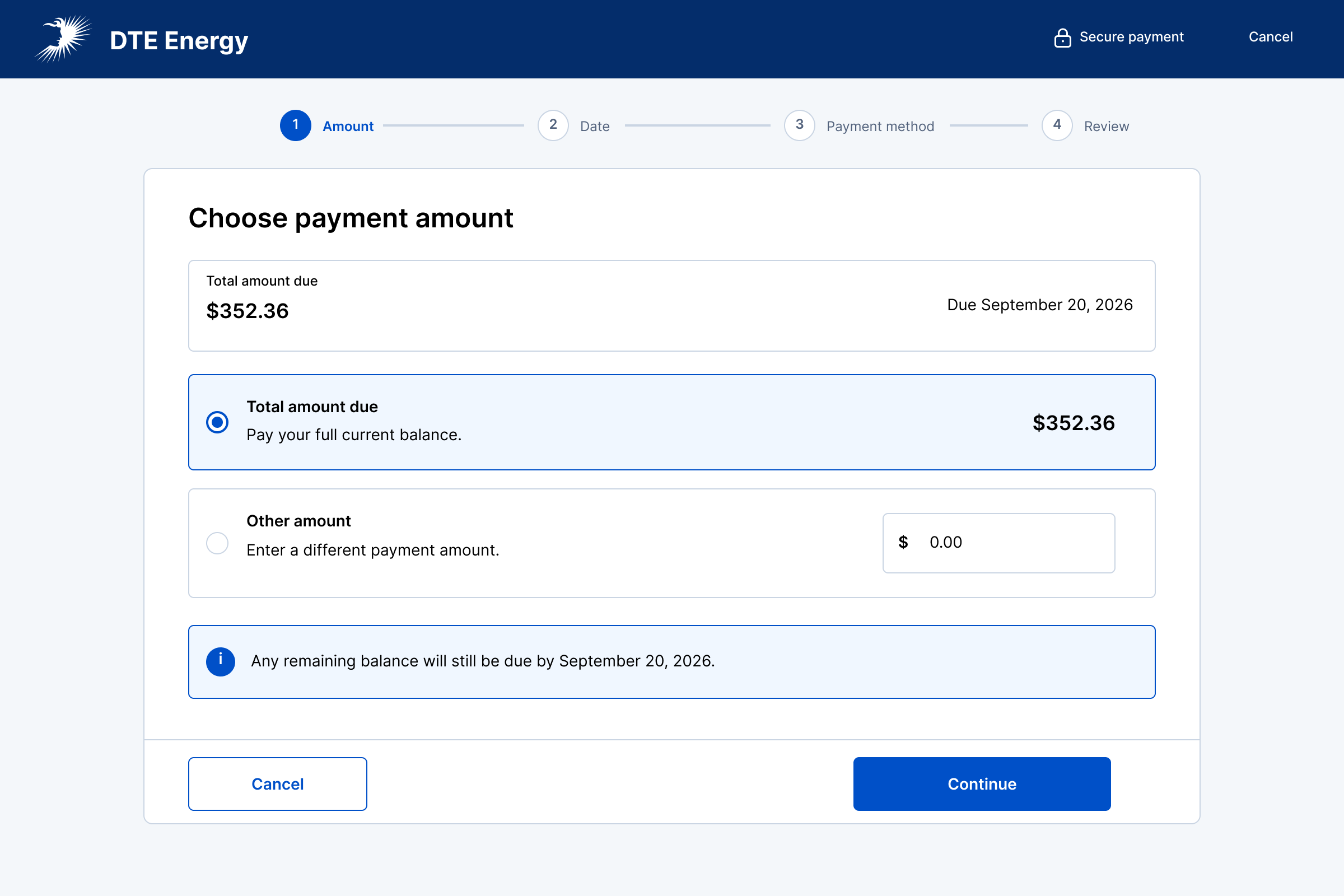
Guide customers through amount, date, payment method, and review without losing context.
Make status unmistakable
Distinguish review, processing, and confirmation so customers know what the system is doing.
02 · The guided flow
One consequential decision at a time.
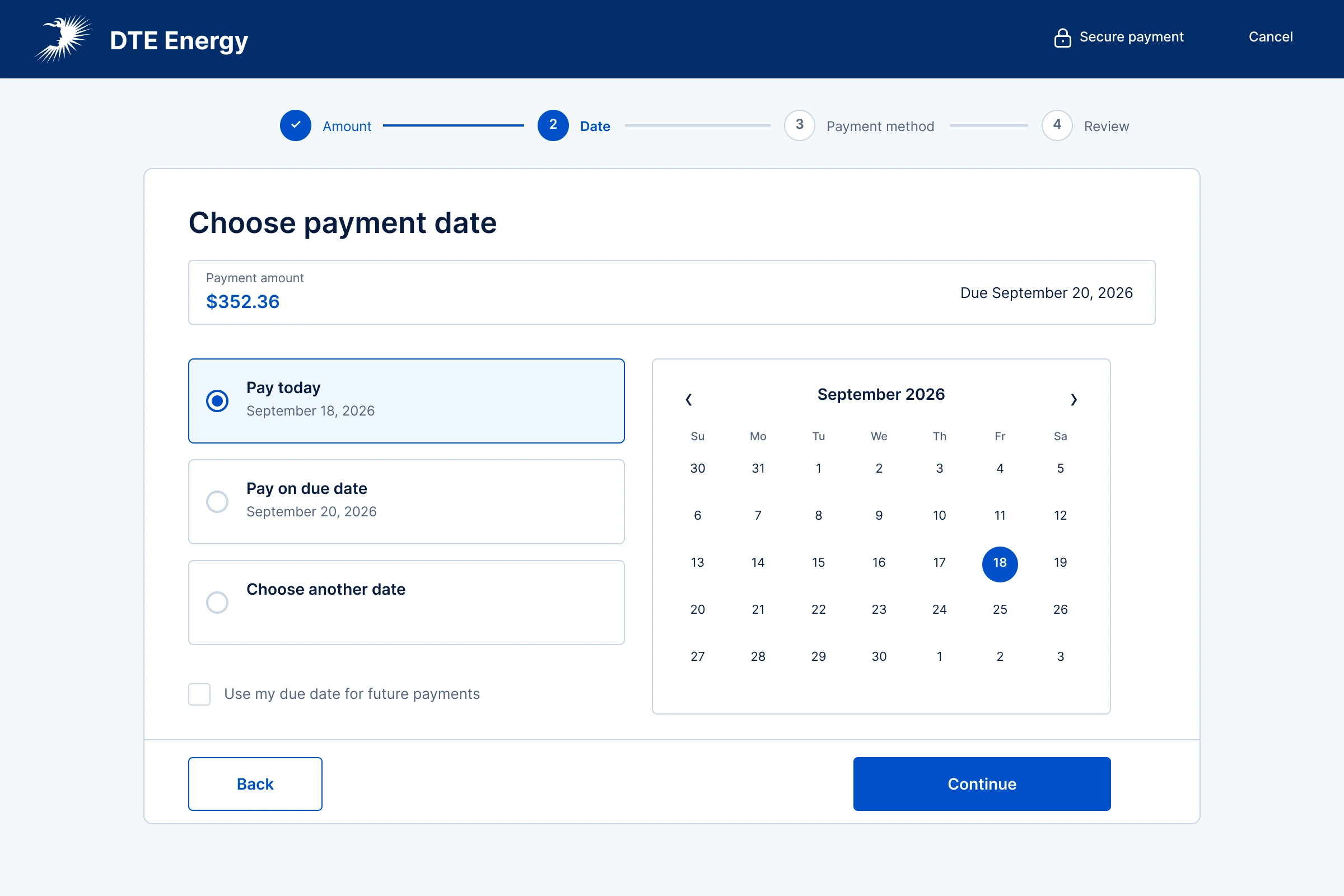
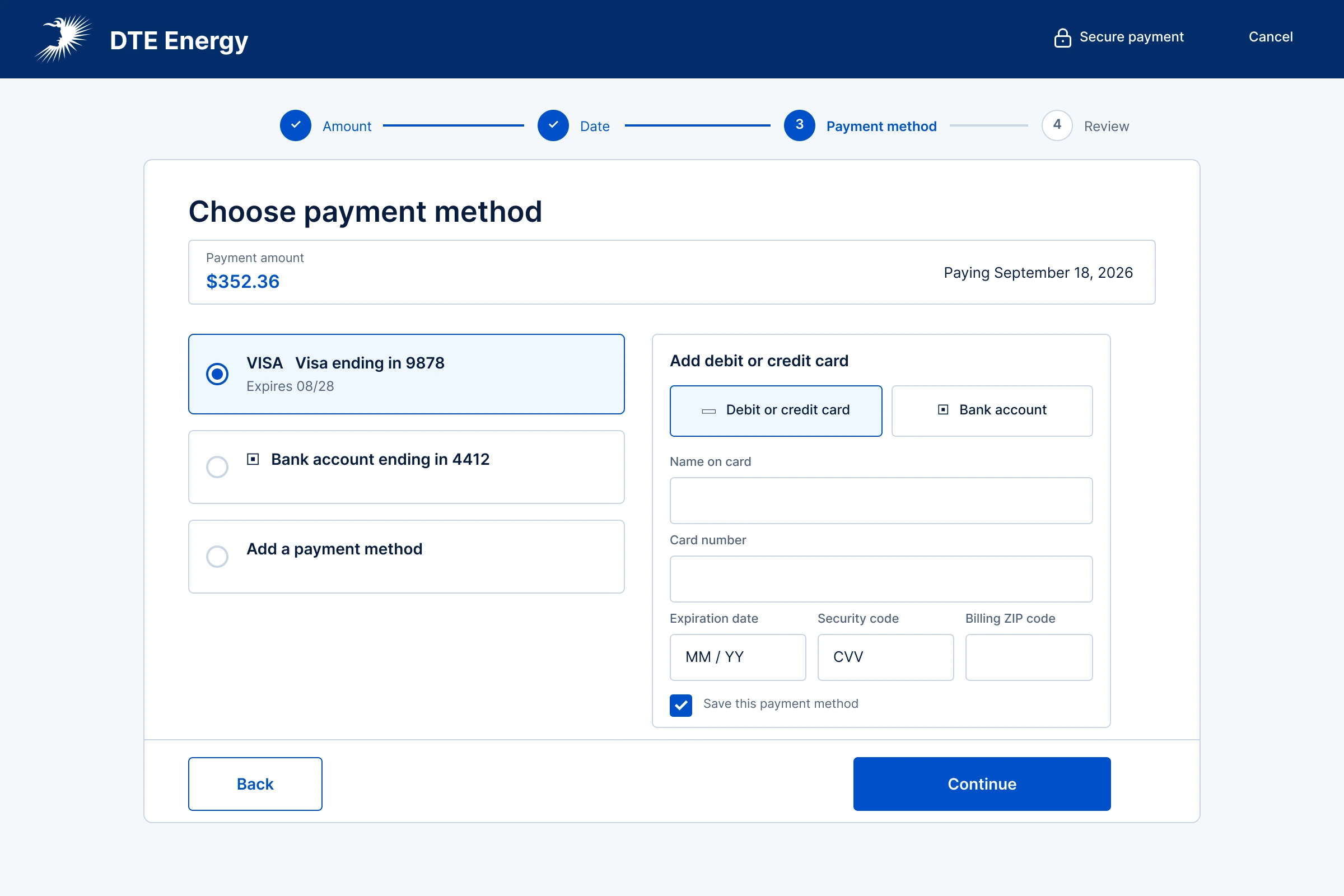
The four-step structure keeps progress visible while giving each choice enough space to be understood and corrected. Select any screen to view it at full size.
01Choose how much to pay
02Choose when to pay
03Choose how to pay
04Review before committing
03 · System feedback
Keep people oriented after they press submit.
Submission confirms that the payment was accepted for processing. Posting is a later account state, so the interface keeps that distinction explicit.
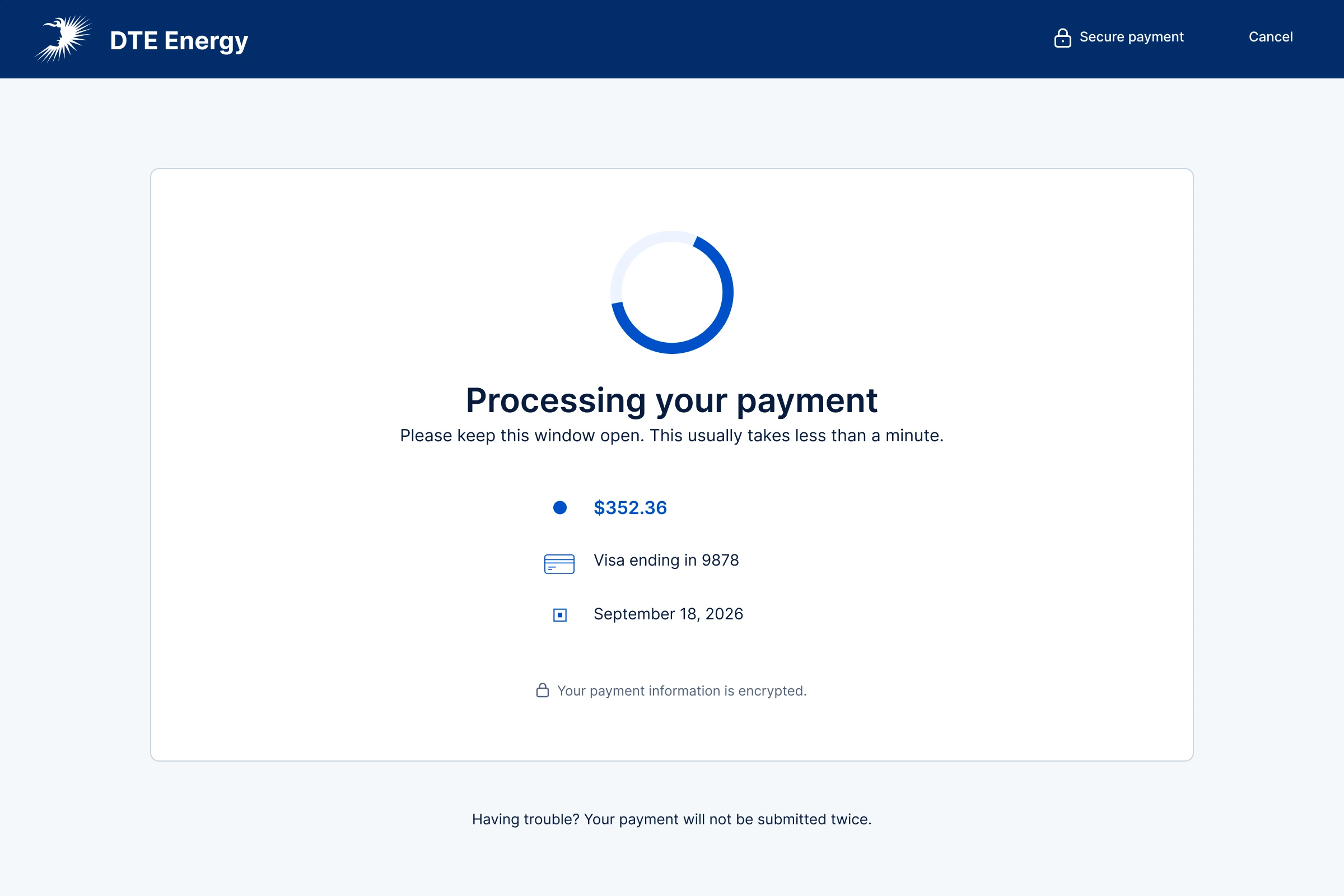
Preserve the submitted details and explain that the transaction is still underway.
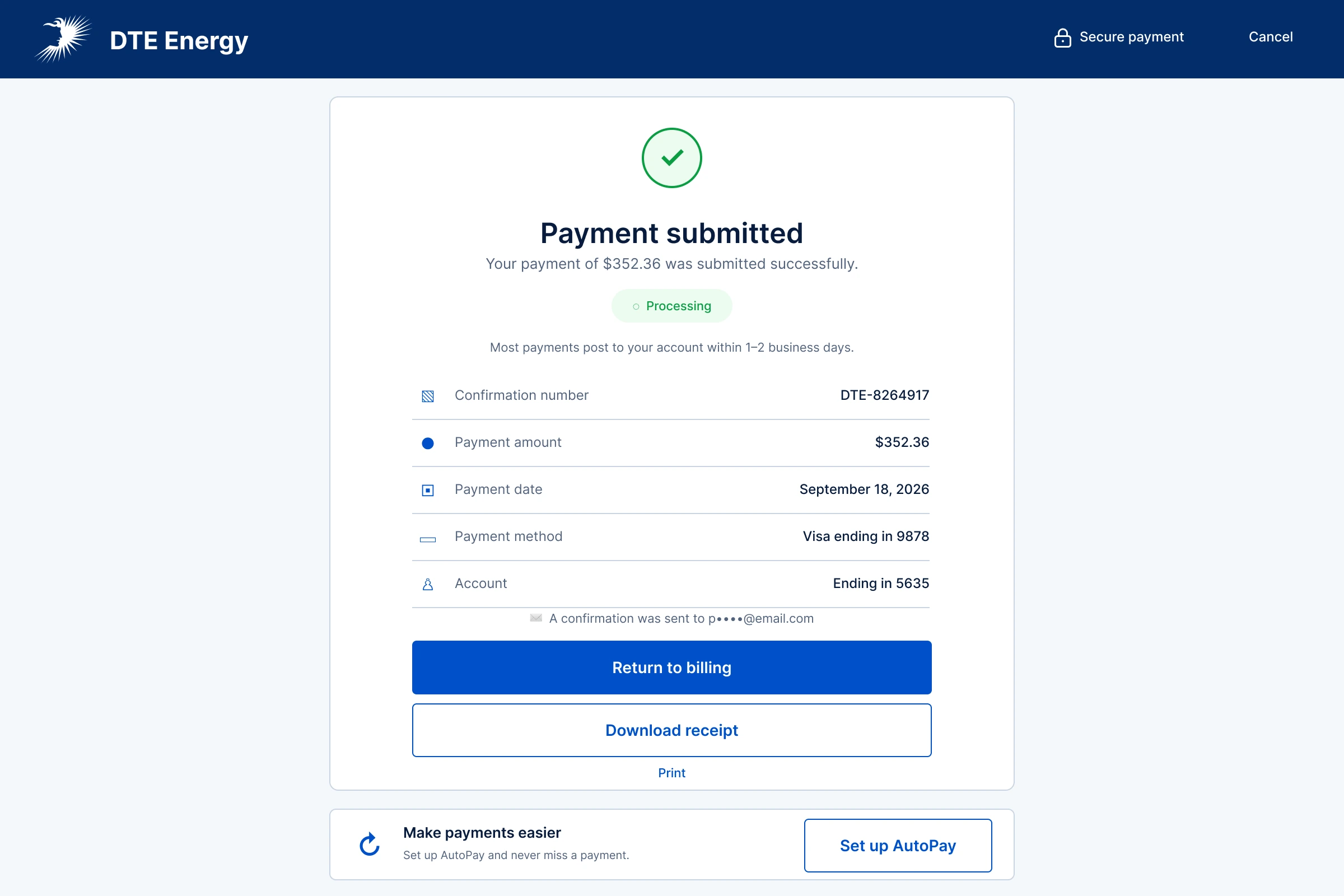
Confirm submission with a reference number and payment details while explaining that the transaction has not yet posted to the account.
04 · Higher-stakes states
Clarity matters most when the account is under pressure.
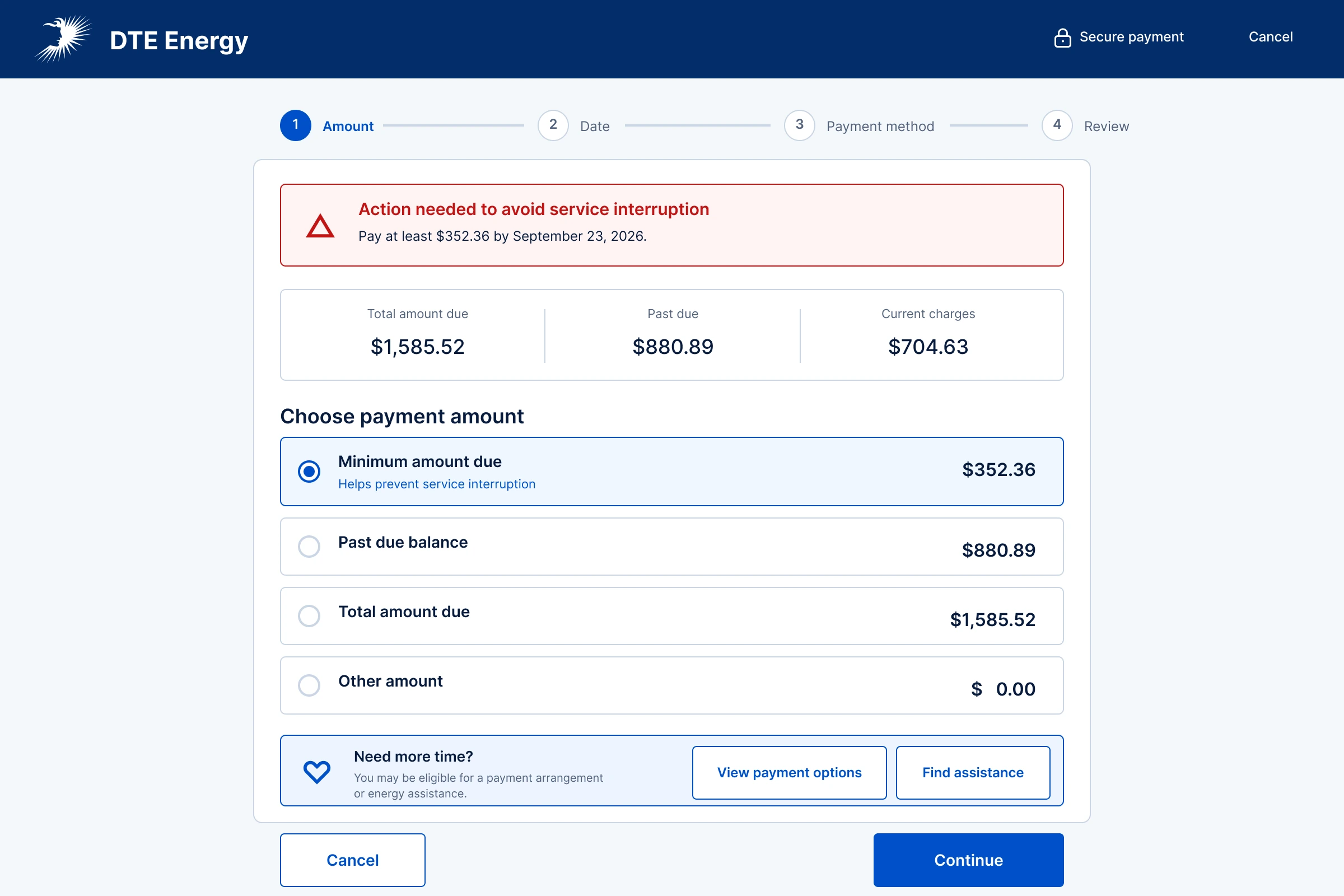
The past-due path distinguishes total balance, overdue charges, current charges, and the minimum action needed to help avoid service interruption. Assistance and arrangement options stay visible without obscuring the primary decision.
05 · Outcome
Make every state of the payment understandable.
Context through every decision
The selected amount remains visible as customers choose the date, payment method, and final authorization.
Status without ambiguity
Processing and confirmation explain whether the payment is underway, accepted for processing, or posted to the account.
Support under pressure
The past-due path separates balances, identifies the minimum action, and keeps payment assistance visible.
Next project